CapCut SDK vs API: What Developers Can Automate in 2026
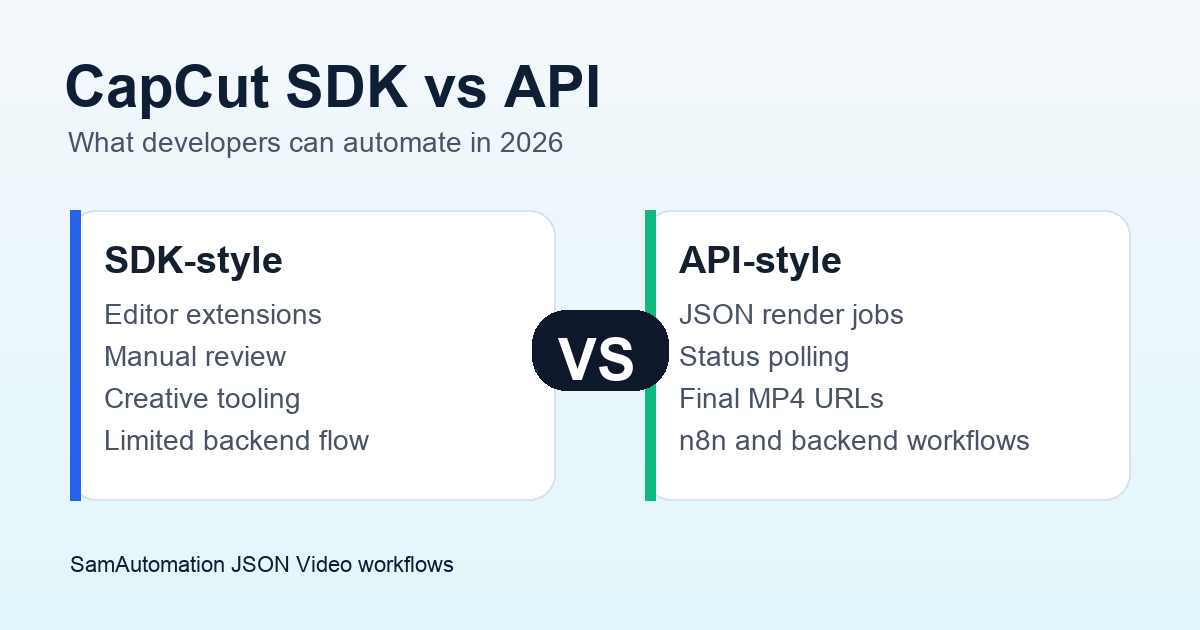
CapCut is useful when a creator edits by hand. It is much weaker when a developer needs repeatable rendering, webhooks, status polling, templated captions or a backend workflow that can create hundreds of videos without opening an editor.
That distinction matters. A CapCut SDK or platform integration can help with creative tooling around CapCut. A production video API should accept structured input, render on demand, return a job ID and make the finished MP4 available to the rest of your system.
If your goal is automated video output, start with the CapCut API guide to understand the current CapCut landscape, then compare it with a JSON to Video API that is built for backend workflows.
CapCut SDK vs API: the practical difference
Developers often use "SDK" and "API" as if they solve the same problem. They do not.
An SDK usually helps an app embed, extend or integrate with another product. It can expose UI features, platform-specific tooling or developer helpers. An API is usually a network interface your backend calls directly.
For video automation, the API question is more important:
| Need | SDK-style fit | API-style fit |
|---|---|---|
| Open editing tools inside an app | Stronger | Weaker |
| Send JSON and render a video | Weaker | Stronger |
| Poll render status | Rare | Expected |
| Add captions from a script or transcript | Sometimes | Expected |
| Trigger from n8n, Zapier or backend code | Limited | Strong |
| Build repeatable templates | Limited | Strong |
| Publish finished MP4 URLs | Limited | Strong |
If the workflow requires a human editor, CapCut can still be a good creative tool. If the workflow needs server-side rendering, a documented API is the cleaner foundation.
What CapCut is good for
CapCut works well for creator-led editing, social clips, manual template use, mobile editing and fast visual polish. That is why teams ask for a CapCut API in the first place: they like the output and want the same feel at production scale.
The problem is not the editor. The problem is the operating model. A marketing system, SaaS product or content pipeline needs predictable inputs and outputs:
- A payload with text, assets, timings and style choices.
- A render request that can run without a person opening a project.
- A status endpoint or callback.
- A final video URL.
- Error states that can be retried or logged.
Those are backend requirements. They are closer to JSON video rendering than to a manual editing suite.
When a CapCut SDK is enough
Use a CapCut-style SDK or platform integration when the user still expects to edit.
That includes creator apps, lightweight editing workflows, social content tools, template handoff and products where the final review happens inside a visual editor. In that setup, the value is control and creative flexibility.
It is not the best fit when the workflow is supposed to run from a CMS, product feed, webhook, spreadsheet or scheduled automation.
When you need a video API instead
Use a video API when your system has to create finished assets from structured data.
Good examples:
- Product videos generated from catalog rows.
- Short videos generated from blog posts or landing pages.
- Captioned clips generated from uploaded MP4 files.
- Daily social videos created from a content calendar.
- Branded videos rendered from reusable templates.
- n8n workflows that create, caption and send videos to storage.
For those cases, the core object is not an editing project. It is a render job. The job should be created by API, tracked by API and stored by API.
SamAutomation's JSON to Video API is built around that model. If captions are the main bottleneck, use AutoCaptions for subtitle output. If the workflow needs scheduling, enrichment or publishing, check the templates marketplace before building every node from scratch.
The migration path from CapCut-style editing to automation
The cleanest migration is usually not a full rebuild on day one.
Start with the repeated parts of the editing process:
- List the video formats you recreate most often.
- Separate fixed brand choices from variable content.
- Turn variable content into fields: title, subtitle, media URL, CTA, caption style and output ratio.
- Build one template that accepts those fields.
- Render five test videos before connecting live content sources.
This gives you a production workflow without pretending every creative choice can be automated. Keep CapCut for the clips that need manual art direction. Move repeatable formats into an API workflow.
Common mistake: scraping or unofficial wrappers
Unofficial wrappers can look tempting when a public API is unclear. They are risky for production. Authentication can change, endpoints can break and the workflow may depend on behavior the platform never meant to support.
That may be acceptable for a private prototype. It is a poor foundation for paid SaaS features, client delivery or daily publishing. If a video pipeline affects revenue, use a documented API with clear limits, billing, support and failure handling.
Best setup for 2026
For most teams, the best setup is hybrid:
- Use CapCut for manual creative edits and review-heavy clips.
- Use a JSON video API for repeatable renders.
- Use AutoCaptions when subtitles are the conversion or accessibility bottleneck.
- Use n8n when the workflow needs triggers, approval steps or publishing logic.
- Check pricing and plan limits before deciding what to automate at scale.
If you are comparing options now, read the CapCut API guide, then test one repeatable render with JSON to Video. For a broader vendor comparison, use the CapCut API alternatives guide. A working render job tells you more than another vague API comparison.