Snapchat Caption Maker vs AutoCaptions: Which Workflow Fits?
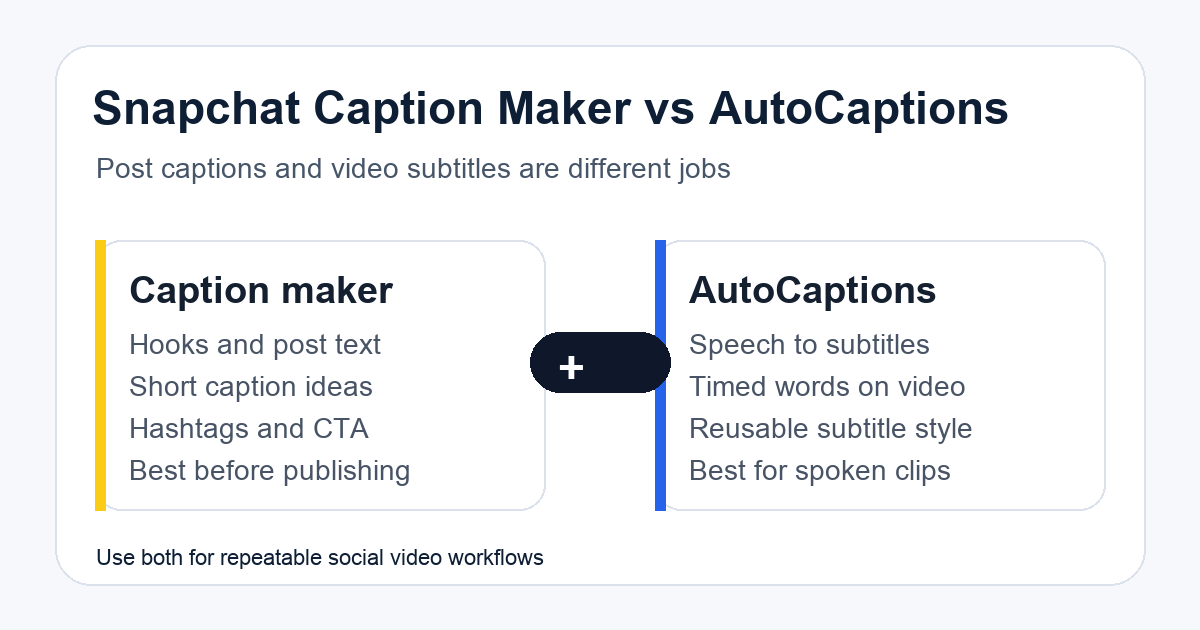
A Snapchat caption maker helps you write the text around a post. AutoCaptions adds subtitles to the video itself. They solve different problems, and mixing them up creates weak workflows.
Use a Snapchat caption generator when you need hooks, short captions, hashtags or post text. Use AutoCaptions when the spoken audio in the video needs readable subtitles.
For serious content operations, use both: caption ideas for the post, automatic subtitles for the video and a repeatable workflow when the format is used more than once.
The short version
| Workflow need | Best tool |
|---|---|
| Write a short Snapchat post caption | Snapchat caption maker |
| Create hook ideas | Snapchat caption maker |
| Add subtitles to spoken video | AutoCaptions |
| Match subtitles to timing and audio | AutoCaptions |
| Reuse a branded caption style | AutoCaptions or JSON workflow |
| Generate many captioned videos | JSON to Video plus AutoCaptions |
The mistake is using a caption generator as if it understands the audio. It does not. It can write social copy. It cannot hear the speaker, time words to the clip or create subtitle files.
What a Snapchat caption maker is good at
A caption maker is useful before publishing. It helps turn a vague idea into text that fits Snapchat's short, casual format.
Good uses:
- A sharper hook for a story.
- A shorter version of a long caption.
- A set of caption options for the same clip.
- Hashtag ideas.
- A caption that matches a product, location or mood.
- A quick rewrite when the first version feels flat.
The Snapchat caption generator should be treated as the idea route. It helps you decide what to say around the video.
What AutoCaptions is good at
AutoCaptions is for the video file. It turns speech into subtitles and places those subtitles on the clip.
That matters when:
- Viewers watch without sound.
- The clip has fast speech.
- The message needs to be understood in the first few seconds.
- You repurpose the same clip across Snapchat, TikTok, Shorts and Reels.
- Accessibility matters.
- A creator or team wants a consistent subtitle style.
If the video has spoken words, subtitles usually do more than a clever post caption. The viewer may never read the post text if the clip itself is unclear.
Best workflow for one Snapchat post
For a single post, keep the workflow simple:
- Upload or choose the clip.
- Generate subtitles with AutoCaptions if there is speech.
- Write three post-caption options with the Snapchat caption maker.
- Pick the caption that matches the first two seconds of the clip.
- Publish with the caption, subtitles and a clear visual hook.
This is enough for one-off content. Do not overbuild it.
Best workflow for repeated Snapchat formats
If you post the same format often, the workflow should become structured.
Examples:
- Product demo clips.
- Before-and-after videos.
- Daily deal videos.
- Creator commentary clips.
- Event recaps.
- Tutorial snippets.
For repeated formats, define the fields once:
- Video URL.
- Speaker language.
- Caption tone.
- Subtitle style.
- Hook.
- CTA.
- Output ratio.
Then route the video through JSON to Video or an automation workflow. This makes the process repeatable instead of relying on manual editing every time.
Snapchat vs TikTok caption strategy
Snapchat captions tend to work best when they are short and immediate. TikTok captions can carry more context because the discovery behavior is different and comments often become part of the content loop.
If you also publish to TikTok, use the TikTok captions engagement strategy as the deeper guide. Keep Snapchat tighter. Use the post caption to support the clip, not explain everything the clip failed to communicate.
For cross-platform clips, put the important words in the video subtitles first. Then adjust the post caption per platform.
When to automate the whole flow
Automation is worth it when the workflow repeats, the volume is high or multiple people depend on the same output.
Good signals:
- You publish more than a few captioned clips per week.
- The same subtitle style is reused.
- Clips come from the same source, like Drive, S3 or a CMS.
- Captions need review before publishing.
- Output is repurposed across several platforms.
- Failed renders need tracking.
In that case, use AutoCaptions for subtitles, JSON to Video for structured rendering and the templates marketplace for reusable automation patterns.
If subtitle volume is the cost driver, check plans and pricing before automating the entire flow.
The practical recommendation
Use the Snapchat caption maker for text ideas. Use AutoCaptions for video subtitles. Use JSON workflows when the same format keeps coming back.
That split keeps each tool in its lane. The post caption sells the moment. The subtitles make the video understandable. The workflow keeps the process repeatable.